How do I change the language level?
You can change your course level anytime.
On mobile:
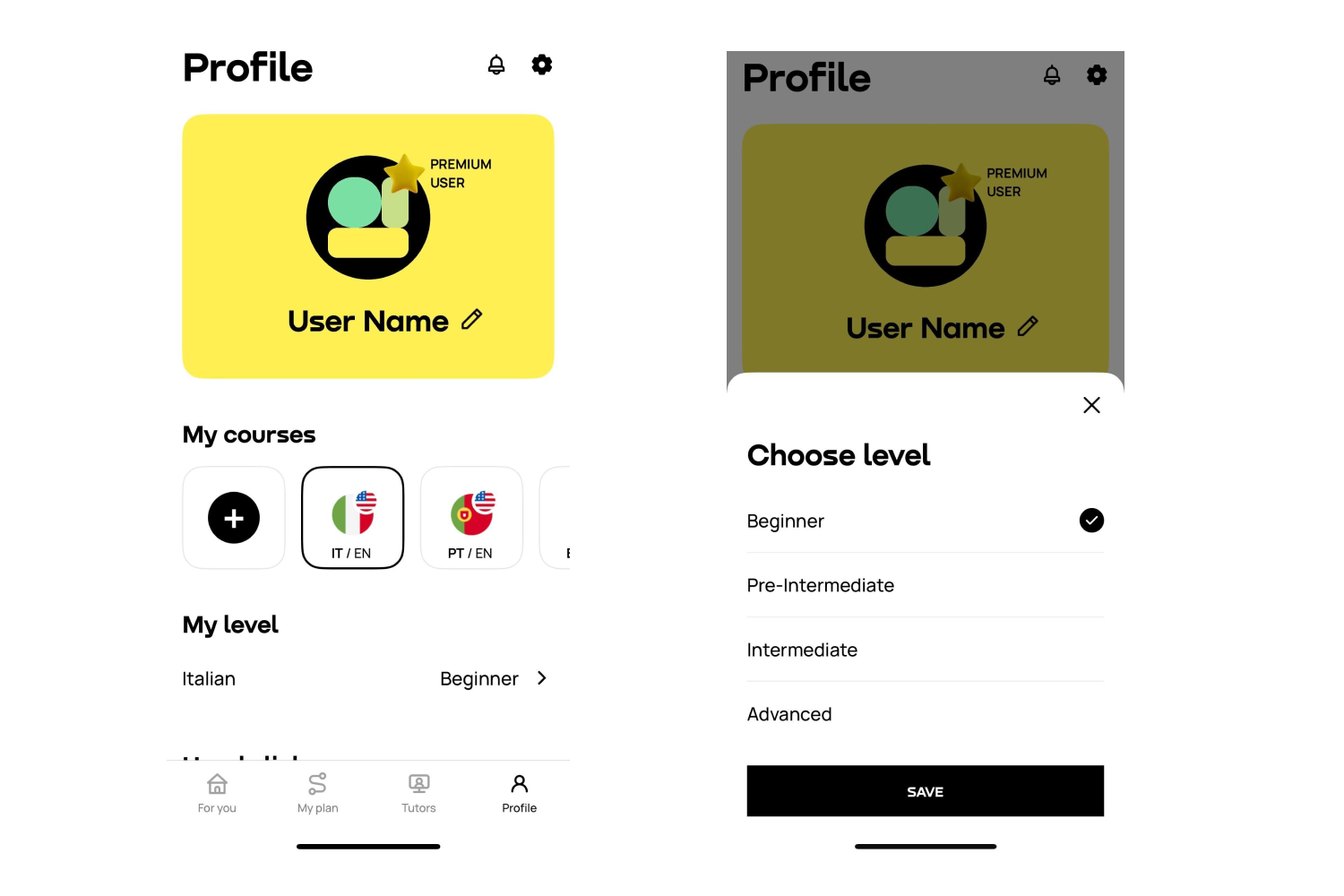
Open the Profile tab
Under your list of courses, tap the level switcher (arrow)
Choose your new level
Or:
Go to My Plan and tap the arrow under the course title
If you don’t see the switcher, update your app to the latest version.
On the website:
Go to the Profile tab
Locate your active course
Use the level switcher to select a new level
Or:
Change it from My Plan under the course title
 English
 Português
 Français
 Español
 Українська


